Git to Know You · Part 1
#1. Git to Know You: Rundeck
Published June 17, 2025 · Updated August 8, 2026
Why start a reliability-tool series with Rundeck? Because one of the fastest ways to improve reliability is to stop making experienced engineers repeat the same safe, well-understood task all day.
SRE has a word for that repetitive operational work: TOIL.
Rundeck gives teams a practical way to turn scripts and operational procedures into controlled jobs that other people can run safely. Restart a service. Gather diagnostics. Clear a known cache. Run a maintenance script. Instead of handing everyone broad server access or making an SRE execute every request, you put a repeatable workflow behind a button, API call, CLI command, or schedule.
That sounds simple. It can change how a team works.
What is Rundeck today?
Rundeck remains the open-source runbook automation project maintained within the PagerDuty ecosystem. The commercial enterprise offering is now called PagerDuty Runbook Automation; older documentation and conversations may still refer to Rundeck Enterprise or Process Automation.
The core idea has stayed remarkably consistent: take the scripts, commands, and tools your organization already uses and turn them into reusable Jobs with access controls, parameters, logs, and audit history.
For a beginner, I think of it as a safe operations vending machine. Someone chooses an approved job, supplies the allowed inputs, and Rundeck handles the workflow behind it.
Why Rundeck?
A shell script can automate a task. Rundeck helps operationalize that automation for a team.
That distinction matters.
A useful job can add:
- controlled inputs instead of arbitrary commands;
- role-based access rather than broad server permissions;
- execution history and audit logs;
- scheduling and notifications;
- multi-step workflows with error handling;
- API/CLI access for integration with other systems;
- a self-service interface for people who should be able to run the task without owning the underlying infrastructure.
Rundeck also fits heterogeneous environments well. The current project documentation includes integrations and patterns across AWS, Azure, Google Cloud, Kubernetes, Jira, ServiceNow, PagerDuty, Datadog, and many other tools.
A Real Story: Giving Support a Safe Way to Help
At one point, my SRE team was constantly buried in support tickets. A lot of them were routine requests. Restart this service. Clear that cache. Check this log.
These were not difficult engineering problems, but every request still interrupted someone on the SRE team.
Our three-person team divided the work intentionally. Two of us wrote scripts for common support requests. I took those scripts, converted them into simple Rundeck jobs, and trained the support team to use them.
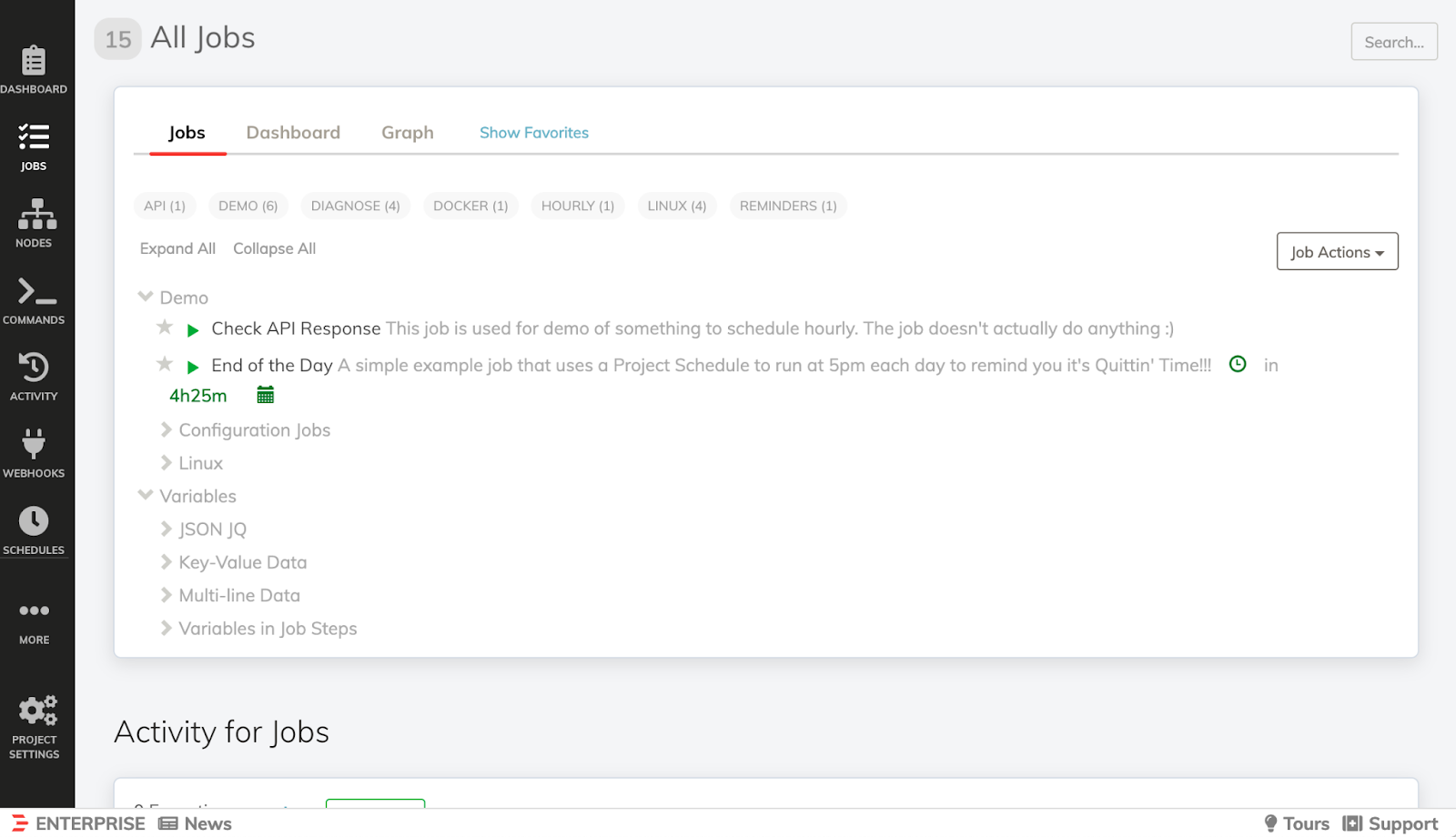
That changed the ownership model.
Support could resolve known problems themselves without receiving broad access to the systems underneath the job. We saw a significant drop in tickets entering the SRE queue, response times improved, and the support team gained useful technical ownership instead of waiting for an engineer to press the same buttons for them.
The lesson for me was bigger than Rundeck itself: good automation does not only save engineering time. It can move capability to the people closest to the problem.
Jobs are the center of the model
A Rundeck Job wraps a workflow. That workflow might call a script, execute commands on nodes, invoke an API, query another platform, or chain several steps together.
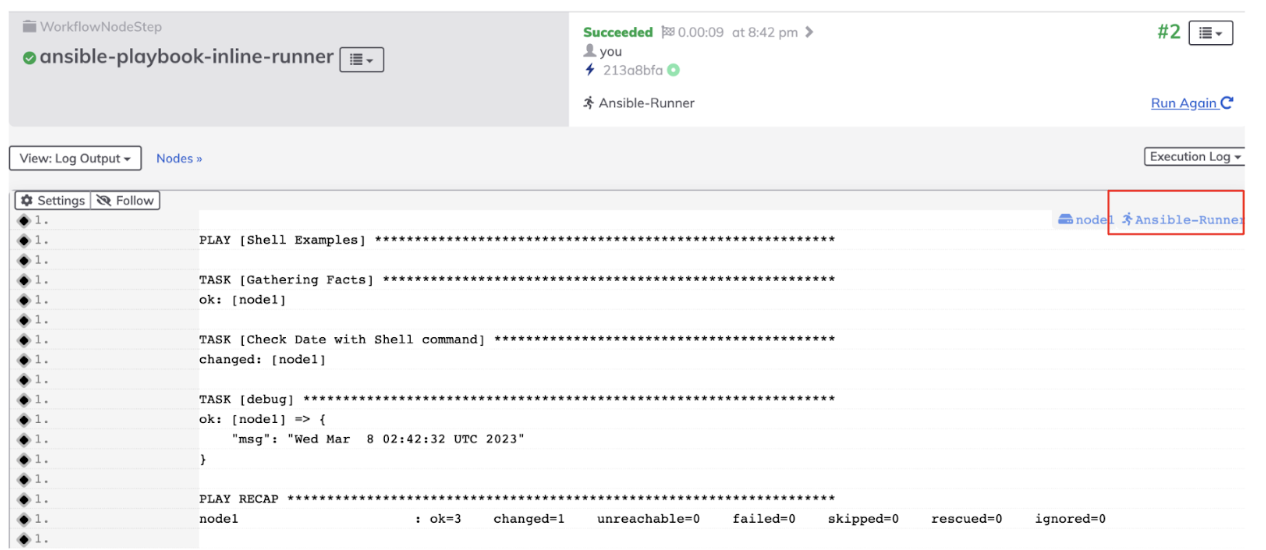
Jobs can be triggered from the web interface, API, CLI, or a schedule. That makes them useful both for human self-service and for connecting known remediation steps into a larger incident-response workflow.
PagerDuty’s commercial Runbook Automation offering adds enterprise-scale capabilities and support around the open-source Rundeck foundation, including features intended for larger or distributed environments.
Where Rundeck works especially well
Self-service operations
Known tasks can be delegated without giving every user unrestricted infrastructure access.
Runbook automation
A written procedure becomes more valuable when the repeatable portions can actually execute.
Incident diagnostics and remediation
A responder can launch a known diagnostic or remediation job instead of reconstructing the command sequence during an outage.
Connecting tools
Rundeck can sit between monitoring, ticketing, cloud platforms, scripts, and incident-response systems. PagerDuty also supports invoking Runbook Automation jobs from automation actions and event-orchestration workflows.
Where it can get difficult
Rundeck does not make operational complexity disappear.
- The initial setup still requires thought. Authentication, nodes, projects, plugins, and execution methods need to be designed correctly.
- Access control matters. A convenient self-service button is only useful if the people pressing it can do exactly what they should and nothing more.
- Your scripts still need to be good. Rundeck can wrap a fragile script in a polished interface, but it cannot make the script reliable for you.
- Debugging moves up a layer. When a job fails, you may need to reason about both the Rundeck workflow and the underlying tool/script.
- Enterprise scale changes the architecture. Large or distributed environments may need capabilities from the commercial Runbook Automation offering rather than a simple community deployment.
Cost and editions
The important distinction is simple:
- Rundeck is the open-source project.
- PagerDuty Runbook Automation is the commercial, supported enterprise offering built on Rundeck and available in self-hosted/SaaS forms.
Commercial pricing and packaging can change, so I would use PagerDuty’s current Runbook Automation material rather than hard-coding a price into a beginner article.
Bottom Line
Rundeck is still a useful tool to learn because it teaches a durable operational idea: turn the safe, repeatable parts of operations into controlled self-service automation.
Start small. Pick one request your team performs constantly. Script it carefully. Put sensible inputs and permissions around it. Give it to the people who actually need the outcome.
If that removes ten interruptions a week, you are already doing reliability work.